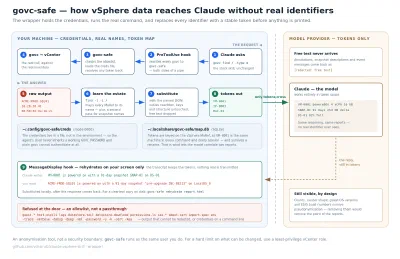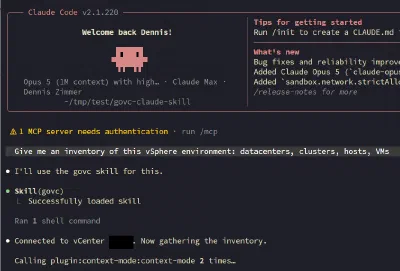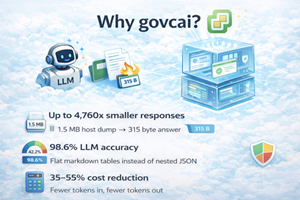
We talked about the theory. Now here’s the tool. govcai is an open source CLI wrapper that makes govc output LLM-ready: with 300x smaller responses, built-in safety gates, and zero changes to your vCenter workflow.
TL;DR (govcai wraps VMware’s govc CLI and transforms its verbose JSON into compact, LLM-optimized markdown. Drop it in, point it at your vCenter, and your AI agents get up to 4,760x smaller responses, 98.6% extraction accuracy (vs 42.2% with raw govc), and built-in safety gates that prevent accidental
vm destroy. Same govc under the hood, same env vars) just smarter output. Open source, Apache 2.0. github.com/vchaindz/govcai
Why govcai?#
If you’re running LLM agents against VMware infrastructure today, you’re burning tokens and getting unreliable results. Raw govc output wasn’t designed for AI consumption, and it shows. govcai fixes that with a single wrapper, no vCenter changes, no new APIs.
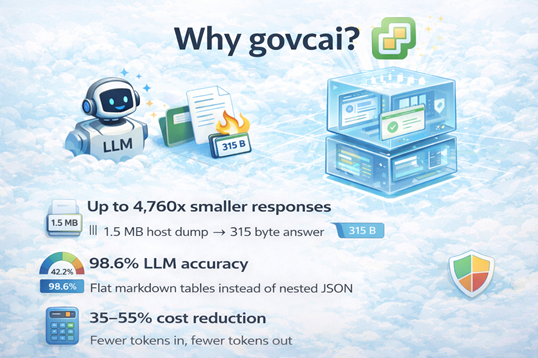
| Benefit | What It Means |
|---|---|
| Up to 4,760x smaller responses | A 1.5 MB host info dump becomes 315 bytes. Your agent’s context window stays open for reasoning, not data. |
| 98.6% LLM accuracy (vs 42.2%) | Flat markdown tables with 0-1 extraction hops instead of 3-5 hops through nested JSON. The LLM finds the answer instead of hallucinating one. |
| 35-55% cost reduction per tool call | Fewer tokens in, fewer tokens out. Real-world Claude Code benchmarks show consistent savings across single-command tasks. |
| 2 turns instead of 3 | govcai returns pre-formatted markdown, no extra round-trip for JSON parsing and table rendering. |
| Built-in risk gates | Every command classified as low/medium/high risk. Mutating and destructive operations require explicit --approve. No accidental deletions. |
| Self-describing commands | --discover, --schema, --help-compact: agents query only the schemas they need, on demand, instead of consuming entire man pages. |
| Zero migration effort | Same GOVC_URL, GOVC_USERNAME, GOVC_PASSWORD. If govc works, govcai works. |
In our previous post, we laid out five principles for making CLI tools work efficiently with LLM agents: structured output by default, response shaping, noun-verb command structure, deterministic error contracts, and built-in discovery. The response was clear: infrastructure teams want this, but they want working code, not just a blueprint.
Today we’re releasing govcai, an open source project that implements all five principles as a drop-in wrapper around VMware’s govc. It’s written in Go, requires zero changes to your vCenter environment, and works everywhere govc does.
What govcai Actually Does#
govcai sits between your LLM agent and govc. It runs the same govc commands against your vCenter, but intercepts the response and transforms it from verbose JSON into compact, structured markdown that an LLM can actually consume without burning through its context window.
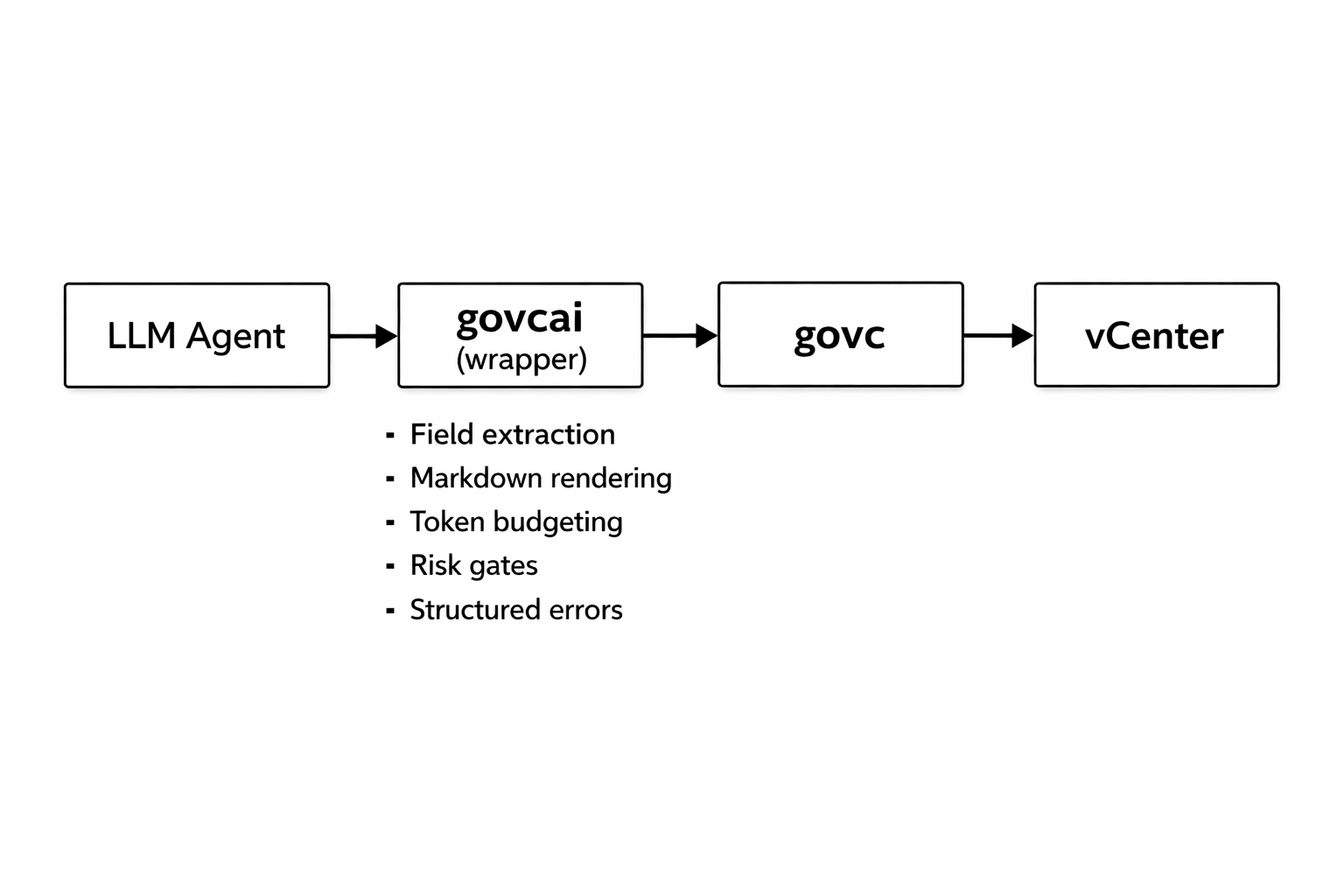
There’s no new API to learn. If you know govc, you know govcai. Same environment variables (GOVC_URL, GOVC_USERNAME, GOVC_PASSWORD), same vCenter connection, same authentication. The difference is what comes back.
The Numbers: Before and After#
Here’s what the optimization looks like on a real vCenter environment with 41 VMs, 4 datastores, and 2 clusters.
Output Size Reduction#
Output Size Reduction#
| Command | govc Output | govcai Output | Reduction |
|---|---|---|---|
host info --view config | 1.5 MB | ~315 B | 4,760x |
alarm list (50 alarms) | 818 KB | 371 B | 2,204x |
vm ip <vm> | 70 KB | 124 B | 567x |
datacenter info | 183 KB | 389 B | 470x |
vm list (41 VMs) | 1.7 MB | 5.4 KB | 316x |
datastore usage | 32 KB | 270 B | 121x |
permissions list | 86 KB | 1.3 KB | 69x |
The headline number, 316x reduction on VM listing, comes from extracting the 11 fields an agent actually needs from the 200+ fields govc returns per VM. But the real story is what this enables: an LLM agent can now hold an entire 41-VM inventory in ~1,400 tokens instead of ~427,000.
Real-World LLM Cost Impact#
We ran end-to-end benchmarks with Claude Code (Sonnet) against a production vCenter. Each task was executed 3 times to measure consistency.
| Task | govc Tokens | govcai Tokens | govc Cost | govcai Cost | Savings |
|---|---|---|---|---|---|
| List VMs | 66,571 | 43,410 | $0.068 | $0.031 | 35% tokens, 54% cost |
| Host info | 66,399 | 42,024 | $0.051 | $0.030 | 37% tokens, 41% cost |
| Datastore usage | 70,194 | 42,086 | $0.067 | $0.030 | 40% tokens, 55% cost |
| Cluster bundle | 239,396 | 152,100 | $0.122 | $0.081 | 36% tokens, 34% cost |
Single-command tasks consistently complete in 2 tool-call turns with govcai versus 3 with govc. The third turn disappears because govcai returns pre-formatted markdown, Claude doesn’t need an extra round-trip to parse JSON and render a table.
LLM Accuracy#
Compact, structured output doesn’t just save tokens, it makes the LLM more accurate.
| Task | govc Accuracy | govcai Accuracy |
|---|---|---|
| “Free space on datastore ssd?” | 39.2% | 98.5% |
| “IP of VM web-prod-01?” | 31.0% | 99.5% |
| “Which VMs have autostart?” | 56.5% | 97.8% |
| Average | 42.2% | 98.6% |
With govc, the LLM has to navigate 3-5 hops through nested JSON objects to find the answer. With govcai, the answer is 0-1 hops from the surface. Less noise, fewer extraction errors.
The Five Principles, Implemented#
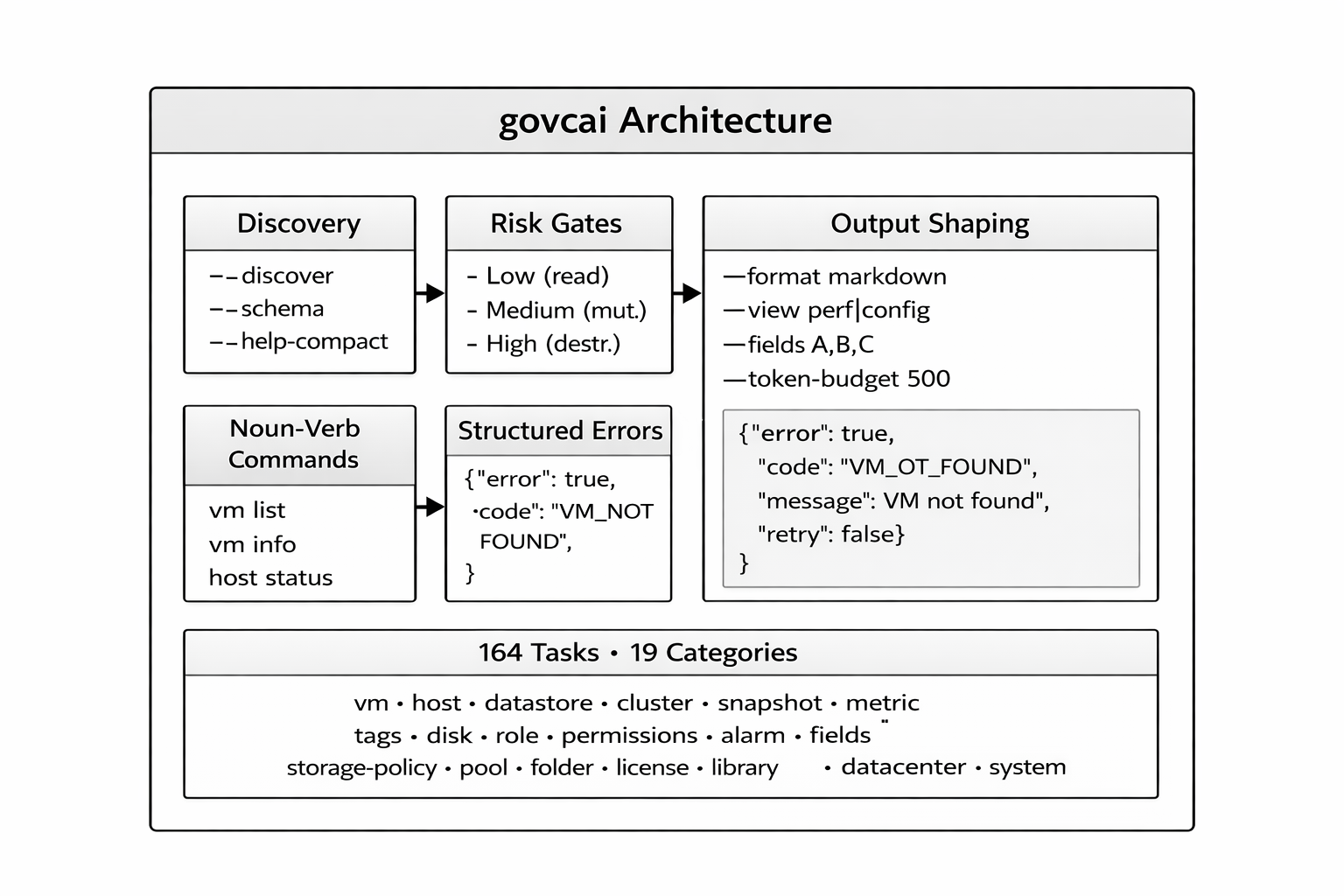
Here’s how govcai maps to the design principles from the original blog post:
1. Structured Output by Default#
govcai outputs markdown tables by default, not because markdown is magic, but because it’s the format LLMs handle best. Tables compress naturally, column headers provide context, and the whole thing fits in a fraction of the tokens.
# govc: 1.7 MB of nested JSON
govc vm.info -json
# govcai: 5.4 KB markdown table with the fields that matter
govcai vm list
Need the raw JSON? --format raw passes through govc’s output untouched. Need JSON for scripting? --format json gives you govcai’s filtered result as JSON.
2. Response Shaping with Views and Fields#
This is where the biggest token savings come from. Instead of returning everything, govcai offers pre-built views that match common agent intents:
govcai vm info web-01 --view perf # CPU%, memory%, uptime
govcai vm info web-01 --view config # CPU count, memory, disk, network
govcai vm info web-01 --view status # Power, tools, IP, guest OS
govcai host info esxi-01 --view perf # CPU/memory utilization
govcai host info esxi-01 --view config # Hardware specs
For maximum control, --fields lets you specify exactly which columns you want, and --token-budget caps the total output size.
3. Noun-Verb Command Structure#
Every command follows govcai <noun> <verb>: predictable enough that an LLM can infer commands it hasn’t seen:
govcai ├── vm (list, info, status, power-on, power-off, create, destroy, …) ├── host (list, info, status, performance, maintenance-enter, …) ├── datastore (list, info, usage, ls, rm, …) ├── cluster (summary, capacity, rule-list, host-list, …) ├── snapshot (tree, create, remove, revert, removeall) ├── metric (list, info, sample, interval-info, …) ├── tags (list, info, create, attach, detach, …) ├── disk (list, create, attach, detach, …) ├── role (list, usage, create, update, remove) ├── permissions (list, set, remove) ├── alarm (list, info) ├── license (list, info, assigned-list, add, …) ├── library (list, info, item-list, deploy, …) └── … (19 categories, 164 commands total)
4. Deterministic Error Contracts#
Every error is JSON with a machine-readable code, a target, and a retry hint. No stack traces, no ambiguous English paragraphs:
{"error": true, "code": "APPROVAL_REQUIRED", "message": "This operation requires --approve", "target": "vm.destroy", "retry": false}
The error codes (AUTH_FAILED, VM_NOT_FOUND, TIMEOUT, APPROVAL_REQUIRED, etc.) map directly to recovery actions. An agent can build retry logic without parsing natural language.
5. Built-in Discovery#
LLM agents shouldn’t need to read man pages. govcai provides three levels of self-documentation:
govcai --help-compact # ~576 tokens for all 164 commands
govcai vm info --schema # JSON schema: args, views, risk level
govcai --discover # Complete JSON schema dump
--help-compact gives roughly 16 tokens per command, compared to ~200 tokens for a typical man page entry. An agent can scan the entire command surface in a single tool call.
Safety: The Feature That Matters Most#
When you let an LLM agent run infrastructure commands, the risk profile changes fundamentally. A human reads vm destroy and thinks twice. An LLM might not.
govcai classifies every command by risk level:
| Risk Level | Description | Behavior | Examples |
|---|---|---|---|
| Low | Read-only operations | Runs immediately | vm list, host info, datastore usage |
| Medium | Mutating operations | Requires --approve | vm power-on, snapshot create, maintenance-enter |
| High | Destructive operations | Requires --approve | vm destroy, snapshot removeall, pool destroy |
Without --approve, any mutating or destructive command returns a structured error:
{"error": true, "code": "APPROVAL_REQUIRED", "message": "This operation requires --approve", "target": "vm.destroy", "retry": false}
This gives the LLM agent (or its orchestrator) a clear decision point: escalate to a human, or proceed with explicit approval. No accidental deletions.
Workflows and Bundles: Multi-Step Operations#
Real infrastructure tasks rarely involve a single command. govcai supports two patterns for multi-step operations:
Bundles aggregate related read-only commands into a single call:
govcai bundle cluster-status # system about + cluster summary + host list
govcai bundle vm-health # vm list + system about
govcai bundle full-inventory # complete infrastructure scan
Workflows are YAML-defined pipelines that can include variables, conditionals, and dry-run previews:
name: vm-health-check
description: Comprehensive VM health assessment
risk_level: low
steps:
- id: list-vms
task: vm.list
view: summary
- id: system-info
task: system.about
govcai workflow workflows/vm-health-check.yaml
govcai workflow workflows/vm-health-check.yaml --dry-run # preview without executing
Coverage: Intentional, Not Incomplete#
govcai covers 164 of govc’s ~412 commands across 19 categories. Thirteen categories have 100% coverage.
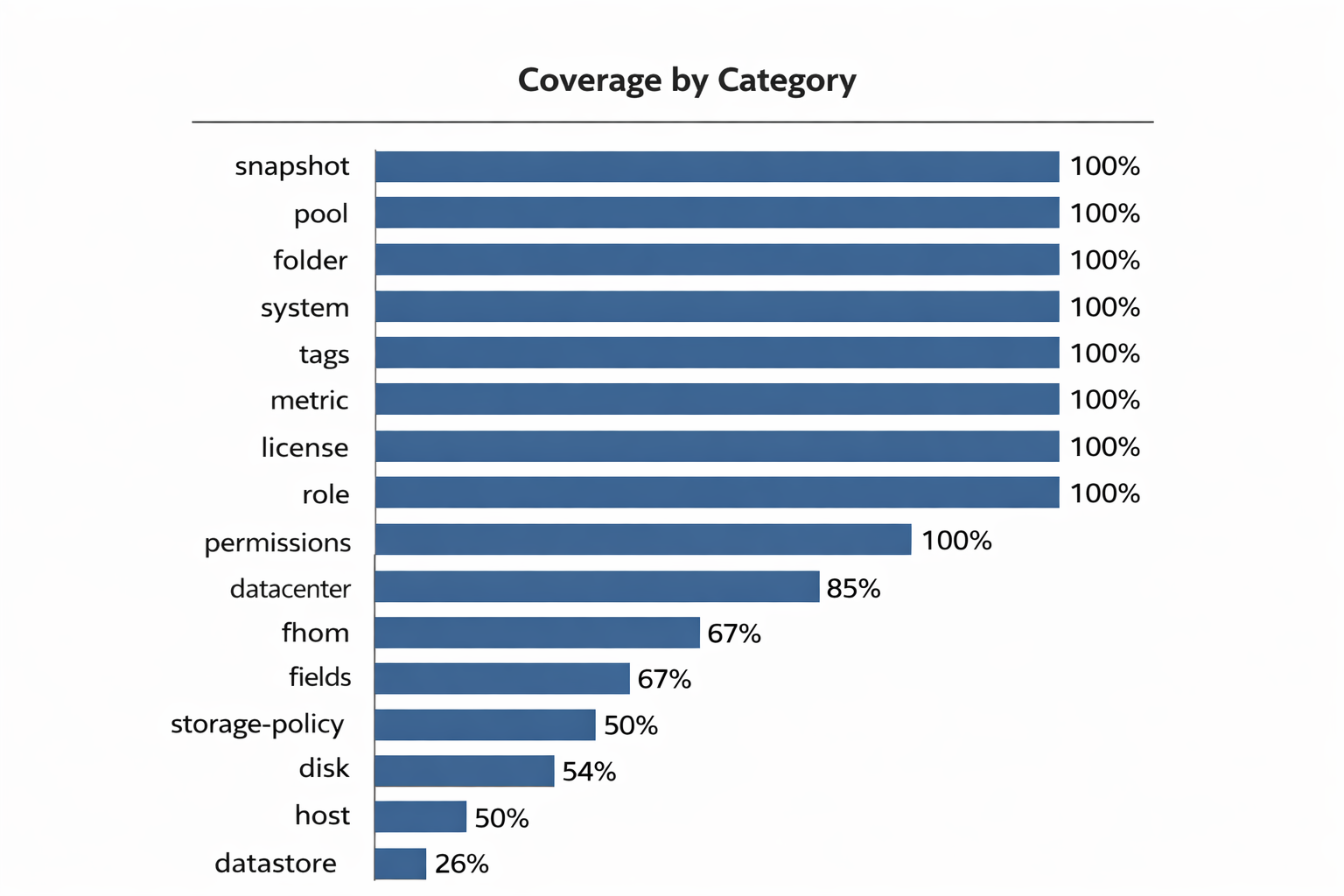
The gap is intentional. Uncovered commands fall into four buckets: niche admin operations (SSO, VCSA appliance management), interactive commands (VM console, VNC), and high-privilege operations that shouldn’t be casually accessible to AI agents or its work in progress.
Every command govcai does expose has a purpose-built handler that converts verbose JSON into compact markdown, adding commands without proper handling would just pass through raw JSON and defeat the purpose.
Getting Started#
# Build from source
git clone https://github.com/vchaindz/govcai.git
cd govcai
go build -o govcai ./cmd/govcai/
# Ensure govc is installed
brew install govc # or download from github.com/vmware/govmomi/releases
# Configure vCenter connection (same as govc)
export GOVC_URL=https://vcenter.example.com
export GOVC_USERNAME=administrator@vsphere.local
export GOVC_PASSWORD=secret
export GOVC_INSECURE=true
# GOVC_DATACENTER is auto-detected and cached for 24h
# Try it
govcai system about
govcai vm list
govcai host list --view config
govcai datastore usage
govcai --help-compact
govcai auto-detects your datacenter when GOVC_DATACENTER isn’t set. If there’s exactly one, it’s used automatically. If there are multiple, govcai tells you which ones are available and asks you to specify.
What’s Next#
govcai is open source under the Apache 2.0 license. The immediate roadmap includes expanding coverage for content libraries (library.create, library.sync), adding OVF import/export support, and building more workflow templates for common operational patterns.
But the bigger goal is demonstrating a pattern. The principles behind govcai (response shaping, risk gates, deterministic errors, built-in discovery) aren’t VMware-specific. They apply to any CLI tool you want to make LLM-ready. We started with govc because it’s the CLI tool we know best, but the architecture is designed to be a reference for wrapping kubectl, terraform, esxcli, or any other infrastructure CLI.
If you’re building AI-driven infrastructure automation, we’d love your feedback. Try it, file issues, contribute new task handlers.
The project is at github.com/vchaindz/govcai.